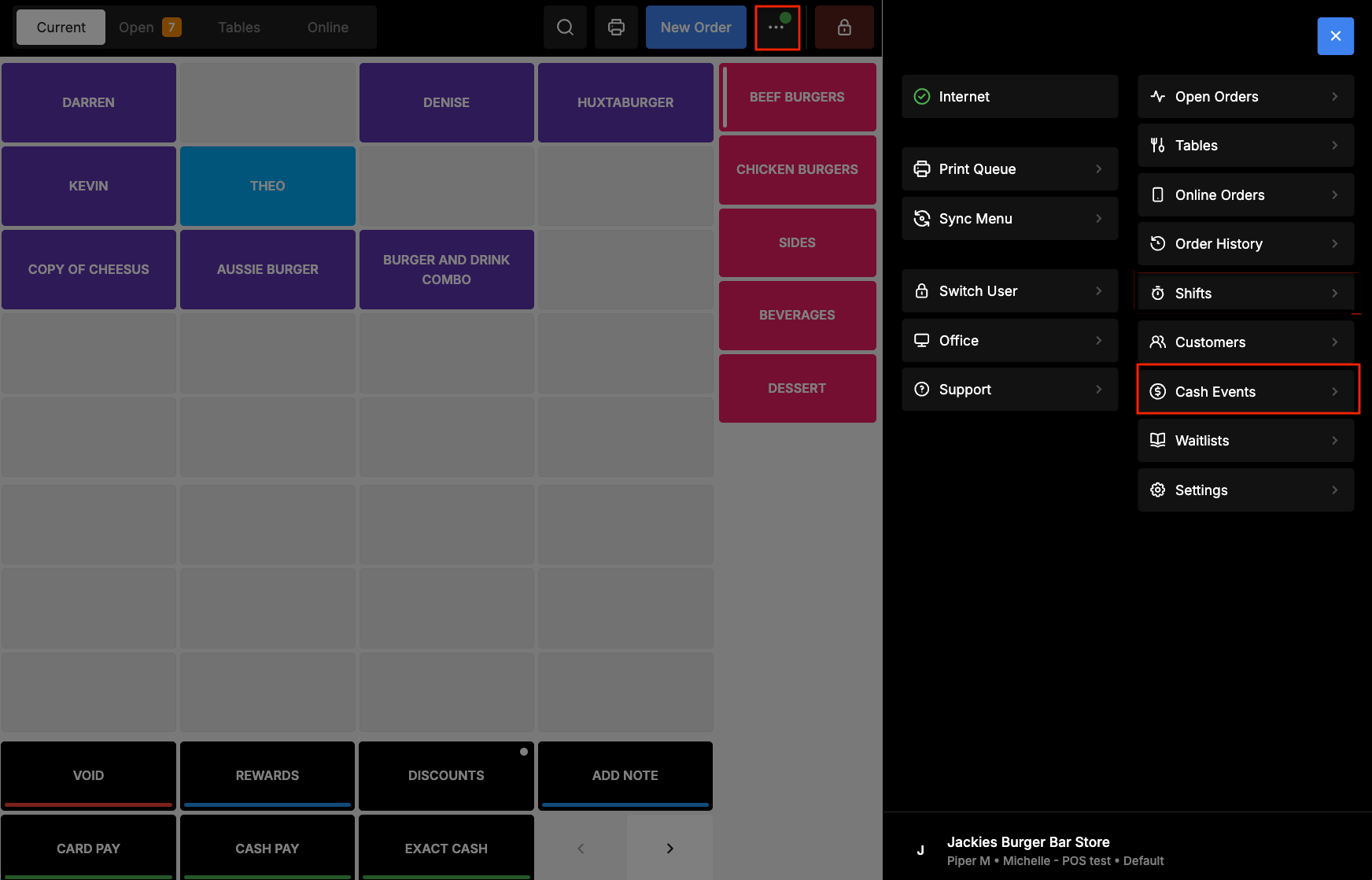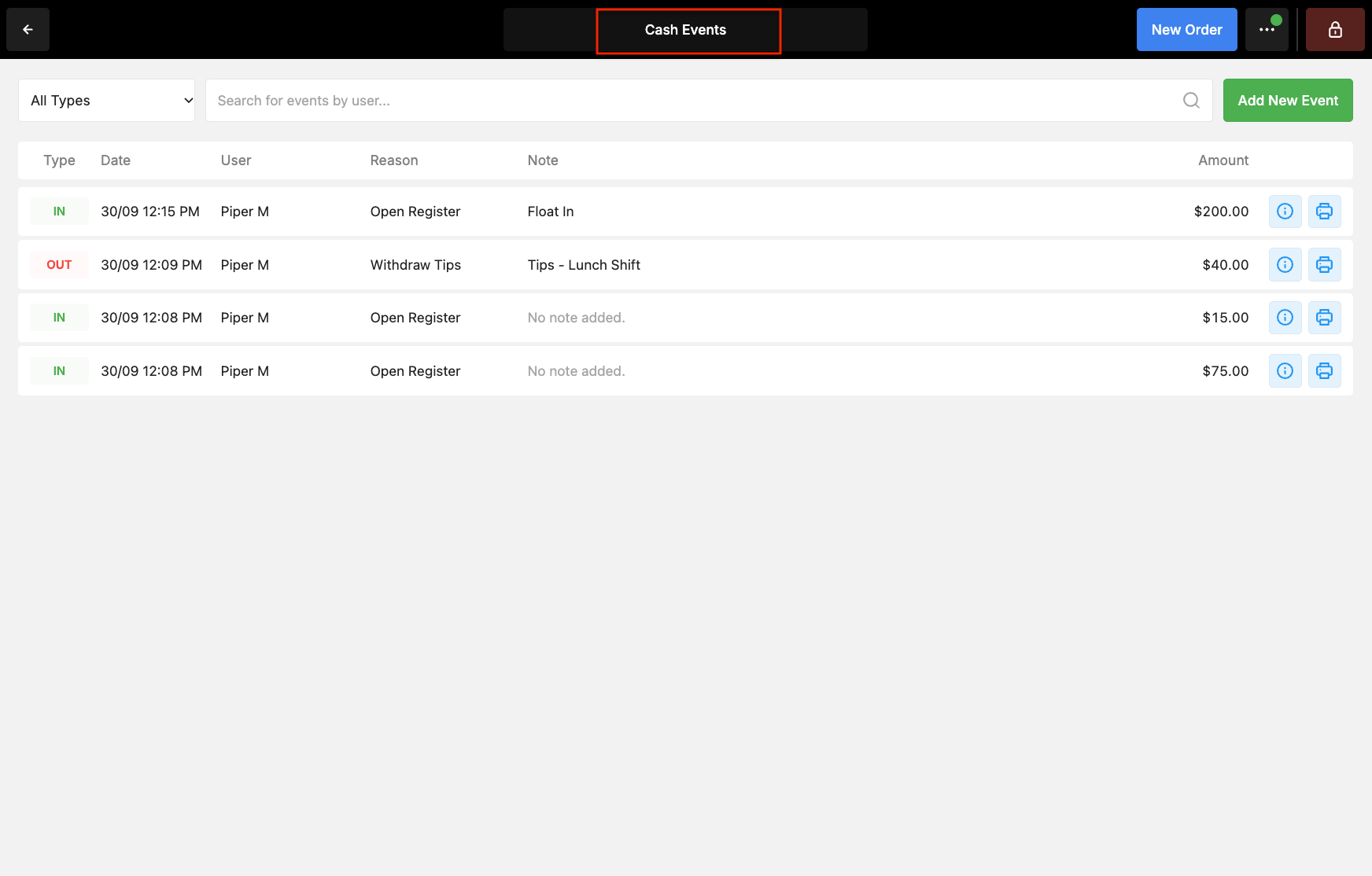
Cash Events recorded in Oolio One POS are included in the Cash section of the relevant closed Shift. This includes events such as Float In, Float Out, Petty Cash and Withdraw Tips.
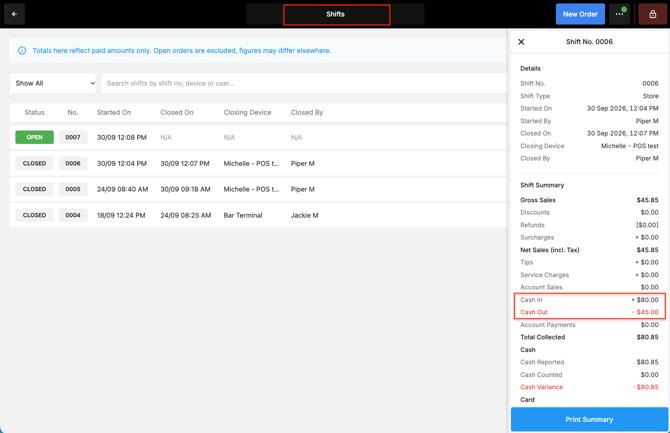
The Shift Summary displays the total Money In and Money Out amounts recorded during the Shift.
View Cash Events for a closed Shift
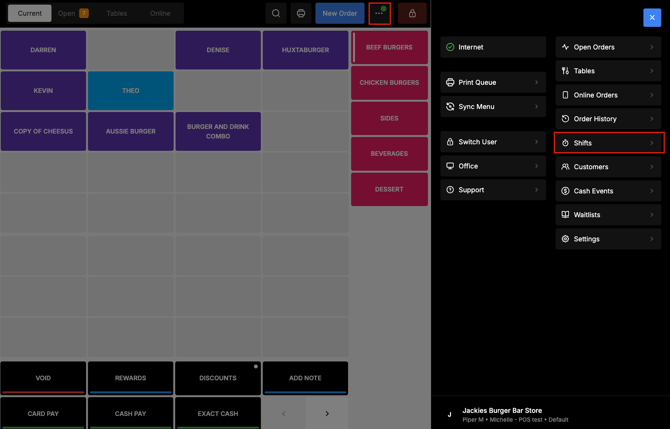
- In POS, open Shifts.
- Select the dropdown beside Shifts, then select Closed.
- Select the required Shift.
- Find the Cash Payments section.
- Review the Cash In and Cash Out totals.
 Understand Money In and Money Out
Cash Events are included in the Shift totals according to whether money was added to or removed from the Cash drawer.
-
The report displays the total amounts recorded as Money In and Money Out. Notes entered when recording individual Cash Events are not displayed.
-
For example, if $10 is withdrawn for Tips and $12 for Petty Cash, the report records a total of $22 Money Out.