
The Shift Summary in Oolio One provides a detailed record of sales, payments and reconciliation information for a Shift. Use the report to review how a Shift was opened and closed, compare recorded and counted takings, and review the sales activity included in the Shift.
Shift Summaries can also be used by bookkeepers to compare reconciled takings with amounts received into bank accounts or recorded in accounting software.
Understand Shift Information
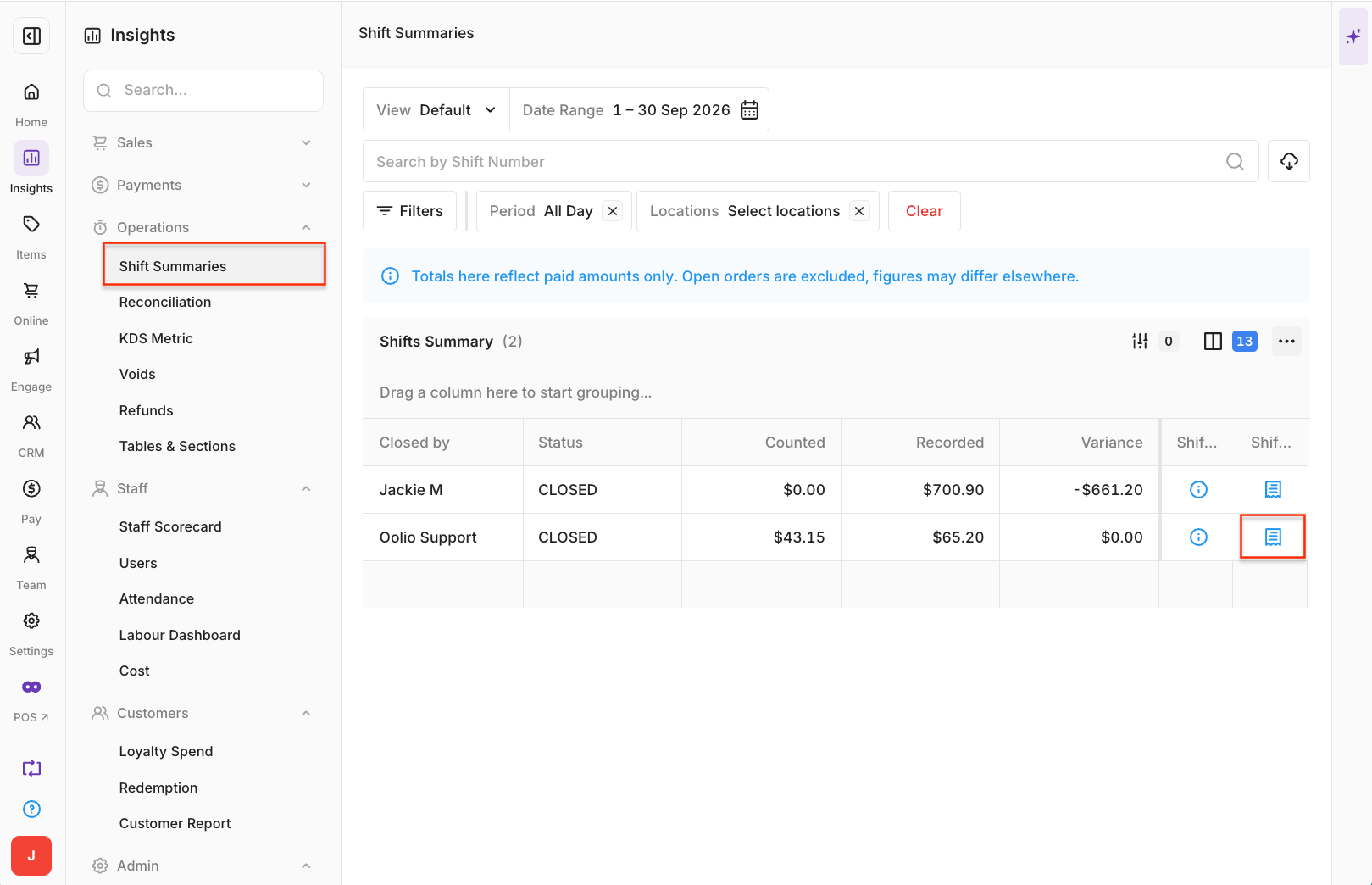
Shift Information provides details about the Shift and its reconciliation.
- Shift Number: The unique ID automatically assigned when the Shift is created on a POS device.
- Device Name: The name of the device where the Shift was performed.
- Store: The Store where the Shift was completed.
- Opened By: The staff member who opened the Shift.
- Created At: The date and time the Shift was opened.
- Closed By: The staff member who completed the Shift. If the Shift is still active, this displays as pending.
- Closed At: The date and time the Shift was closed.
- Recorded: The amount Oolio One expected for the Shift based on recorded sales, including Money In/Out and Refunds.
- Counted: The amount entered when the Shift was closed.
- Variance: The difference between the Recorded and Counted amounts.
A variance indicates that the amount entered when the Shift was closed does not match the amount recorded in Oolio One.
Understand the Payment Breakdown
The Payment Breakdown shows the Payment Types used during the Shift and the activity recorded against each one.
Depending on the Payment Type, this can include:
- Payments
- Refunds
- Money In/Out
- Tips
- Recorded amount
- Counted amount
- Variance
For Card and Online Payment Types, Total Collected is the total amount processed through integrated payments.
Total Collected includes any applicable Payment Surcharge.
Understand the Sales Summary
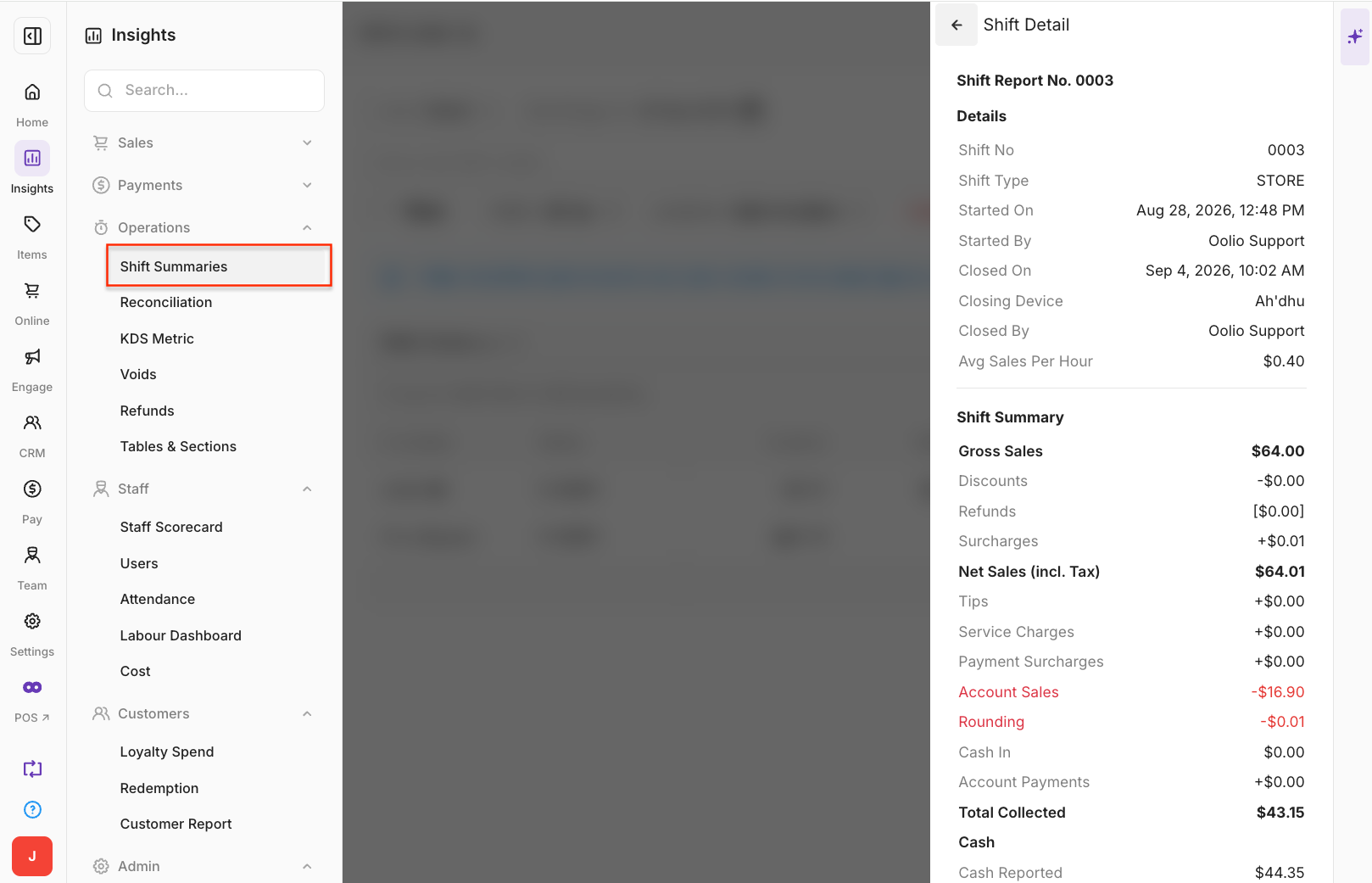
The Sales Summary provides an overview of the sales activity included in the Shift.
Sales activity:
- Number of Sales: Number of completed sales orders during the Shift.
- Transaction Count: Total number of transactions completed during the Shift across all Payment Types.
- Refund Count: Total number of refunded transactions during the Shift.
- Gross Sales: Sales revenue before Discounts, Surcharges and Returns.
- Returns: Gross Sales value of Products included in refunded transactions.
- Discounts: Total value of manual and automatic Discounts applied to sales.
- Surcharges: Total value of manual and automatic Surcharges applied to sales.
Note: Surcharges does not include Payment Surcharges applied when processing Card or Online payments.
Sales totals:
- Net Sales: Total Product sales after Returns and Discounts are deducted.
- Tax Amount: Total tax collected for Products sold during the Shift.
- Sales Amount: Sales revenue generated by Products sold during the Shift.
- Tips: Total Tips collected across all Payment Types.
- Cash Rounding: Total value added or removed through Cash Rounding when completing cash payments.
- Payment Surcharge: Total Payment Surcharges collected from Card and Online payments.
- Total: Total revenue generated during the Shift, including Tips and Payment Surcharges.
- Sales Average: Average sale value for the Shift, calculated as Net Sales divided by Number of Sales.
Cost and profit
Cost and profit information is available when a Cost Price has been configured for Products.
- Cost of Sales: Cost of the Products sold during the Shift, based on the Cost Price configured for each Product.
- Total Profit: Difference between the selling price and Cost Price of Products sold during the Shift.