
Use the Takeaway Order Type in Oolio One POS for orders that customers will collect rather than dine in. Takeaway orders can prompt for a customer name, helping staff identify the order when it is ready for collection.
Start a Takeaway order
A Takeaway order can be started from the main POS screen or Floor Plan.
From POS:
-
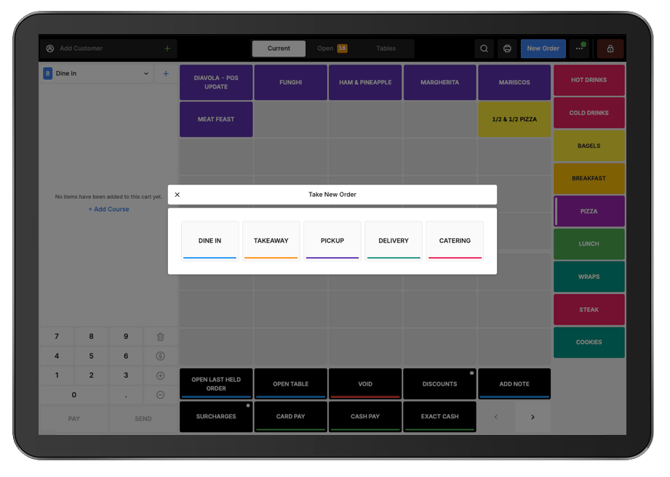
Start a new order using either of these options:
- Select New, then select Takeaway as the Order Type.
- Select the Order Type dropdown in the Cart and choose Takeaway.
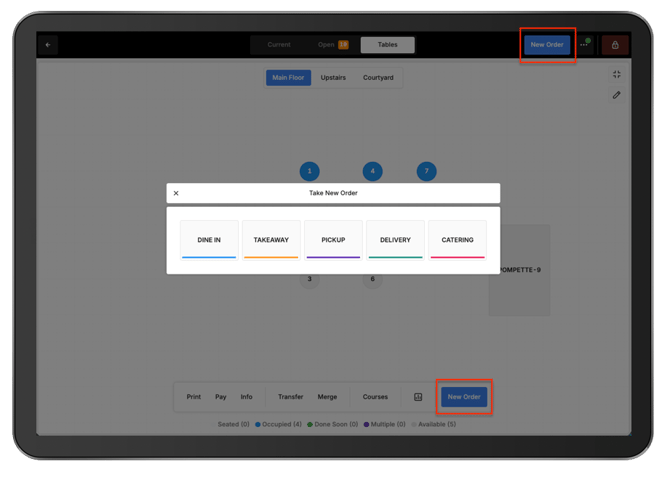
From the Floor Plan:
- From the Floor Plan, select New Order.
- Select Takeaway as the Order Type.
Add products:
-
Add the required products, variants, and modifiers to the order as usual.
-
When the order is ready:
- Select Send to send the order for preparation, or Pay Now to proceed to payment.
- Enter the customer's name when prompted.
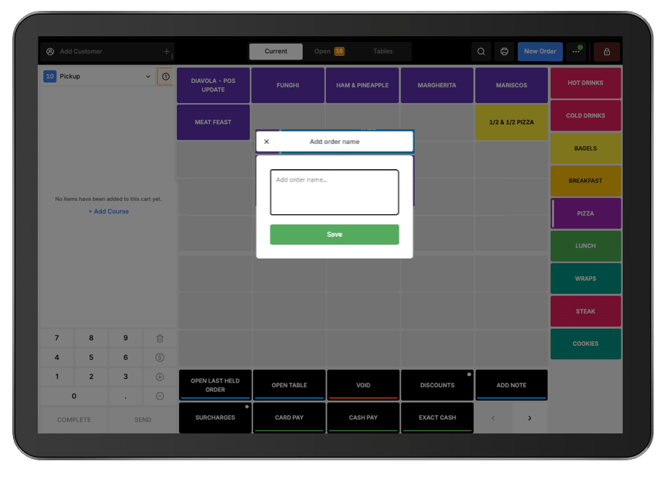
The entered name prints at the top of the preparation docket, making the order easier to identify when it is ready.