Create customer profiles in Oolio One POS to record customer details and associate customers with their orders. Customer profiles can also be used with features such as Oolio Loyalty, Vouchers and customer reporting.
Customers can be created from the Customers screen or directly from the cart while taking an order.
Add a customer from the Customers screen
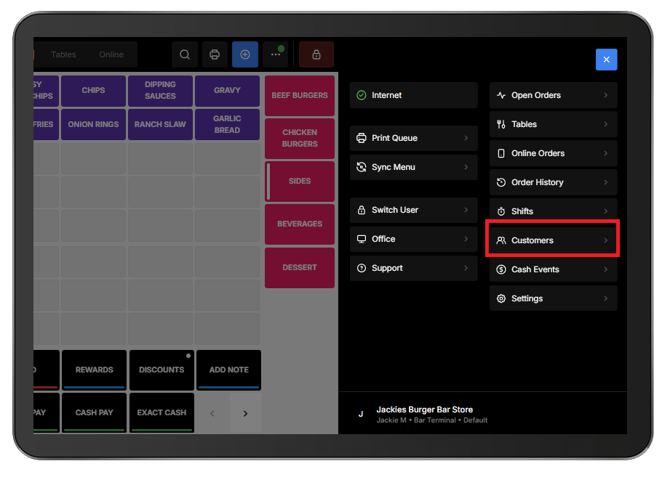
- From POS, open the Navigation Menu (⋯).
- Select Customers.
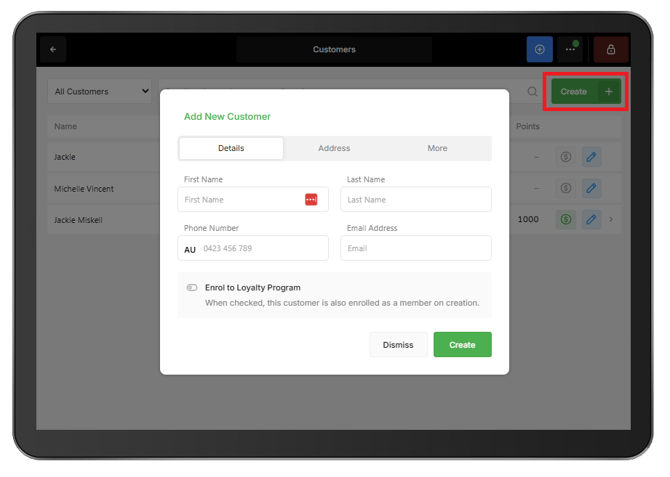
- Select Create.
- Complete the Create A New Customer form:
-
- First Name: Required.
- Last Name: Optional.
- Phone Number: Required if an email address is not entered.
- Email Address: Required if a phone number is not entered.
- Enrol to Loyalty Program: Enable if the customer would like to enrol in loyalty.
- Address: Optional.
- Birthday: Optional.
- Select Create to save the customer.
Note: Either a Phone Number or Email Address must be entered.
Add a customer while taking an order
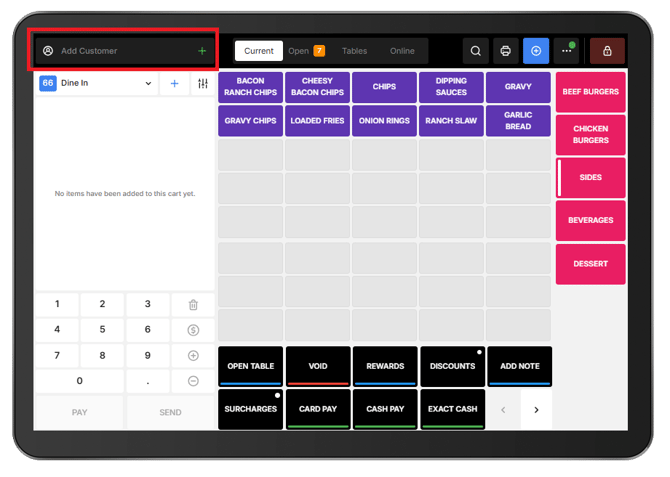
A new customer can also be created directly from the cart without leaving the current order.
- From the POS cart, select Add Customer.
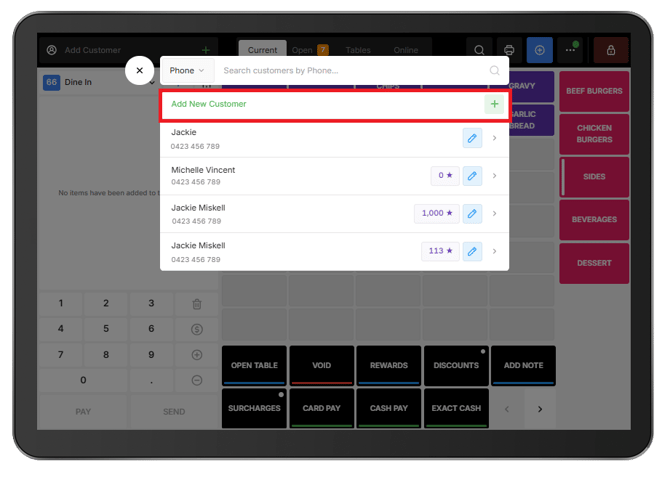
- Select Add New Customer.
- Complete the Add New Customer form:
The new customer is added to the customer database and can be associated with the order.