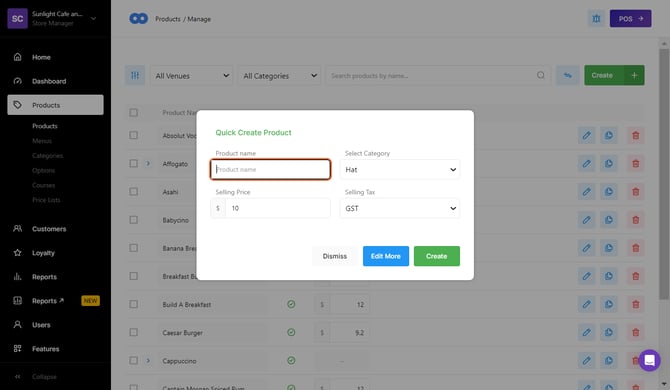
Copying a product allows a new item to be created using an existing product’s settings. This can reduce setup time by reusing pricing, options, and configurations.
Step One: Copying a Product
-
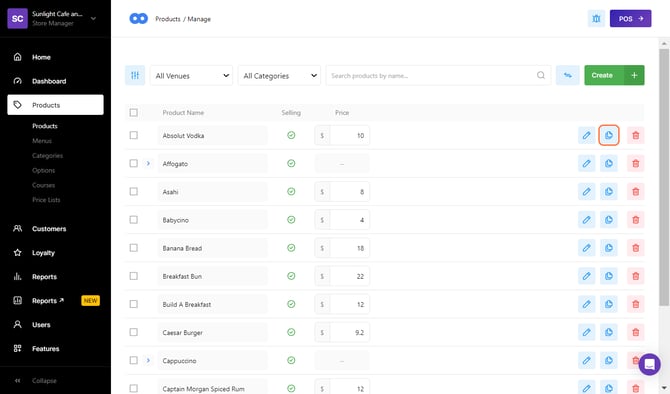
Select 'Products' from the left navigation bar.
-
Select the 'Copy' (dual paper icon) in line with the product to be copied.
- This will open the Quick Create Product screen.
 Enter a name for the new product in the Product Name field.
- Select 'Create' to create the product, or select 'Edit More' to open the product Settings page and apply additional changes.